
Warehouse software has a reputation for being clunky, over-engineered, and packed with features nobody asked for. Warevo takes the opposite approach: we provide the functionality that matters, without the noise.
If you're new to Warevo, or rolling it out to your team for the first time, here's everything you need to get moving today.
No Installs, No IT Tickets
Warevo runs entirely in a browser. No software to install, no updates to push, no IT ticket required. It works on desktop (Chrome, Edge, Firefox) and on tablets, which is where most of the action happens on the warehouse floor. Landscape orientation is recommended for tablets, and you can save the URL to your home screen for one-tap access.
Just open your browser, go to the URL your admin gave you, and log in. That's it, you're in.
One Login, Every Role
Warevo has five roles: Admin, Picker, Quality Control, Packer, and Shipper, and every one of them sees the same navigation menu. The difference isn't access, it's responsibility. Each role simply follows the part of the workflow that matters to their job.
If your account has more than one role assigned, you don't need to log out to switch. Just tap your name and role badge in the top-right corner, pick the role you want from your profile panel, and the screen refreshes into that view. Your active role is always visible in the top-right corner, so there's never any guessing about which hat you're wearing.
Your Dashboard, At a Glance
The moment you log in, you land on the Dashboard, a live snapshot of everything happening in your warehouse right now:
- Summary cards for Total Orders, Total RMA (returns), and Total Tasks, each with pending counts and completion percentages
- Status charts: three donut charts breaking down current Orders, Tasks, and Returns by status
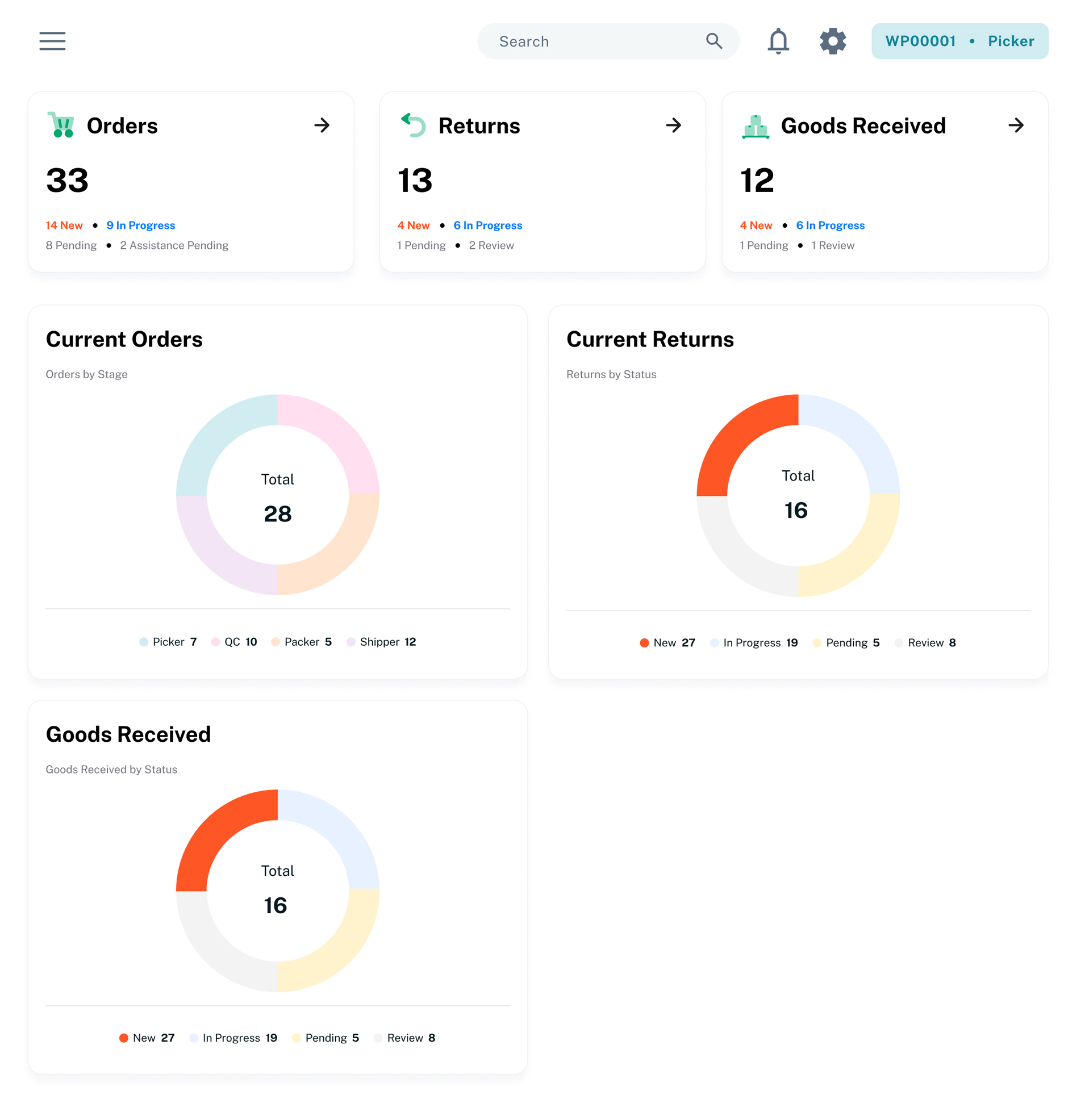
No manual refresh needed. It reflects the live state of your warehouse the moment you open it.
The Order Journey, Start to Finish
Every order that flows through Warevo follows the same path:
Picker → Quality Control → Packer → Shipper
- The order arrives, synced automatically from your ERP.
- A Picker scans items off the shelf and collects them.
- Quality Control verifies quantity and condition, approving or flagging each line.
- A Packer boxes everything up, recording weight, size, and contents.
- A Shipper generates the label via Ship Hub or directly in your ERP, then closes out the order. (Looking ahead, we're exploring adding a shipping hub, Shippo, directly inside Warevo.)
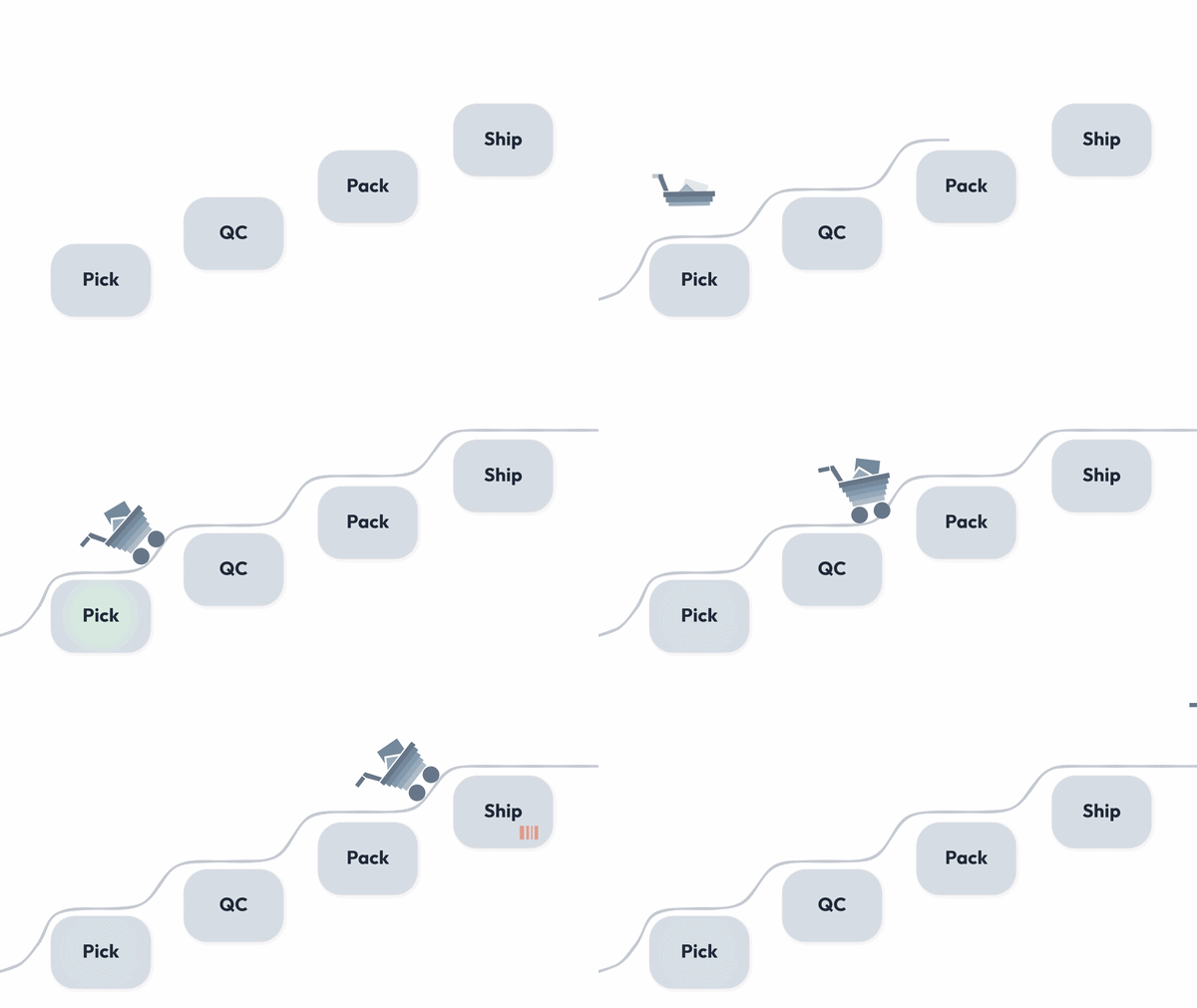
Whatever stage you work at, the pattern is the same: open the order, press In Progress to claim it, do your part, then press Complete to hand it off, or Pending if you need to step away and come back later.
One habit worth building early: always check the Order Chat before starting work. It's a running thread of notes that travels with the order through every stage, so if someone flagged something two steps ago, you'll see it before it becomes a problem.
Tasks Run Alongside Orders
Not everything is order-shaped. Inventory counts, incoming goods, assemblies, and returns all run in parallel to the main order flow, so your team can handle a stock count or a return without it ever touching the order queue.
Built to Work With Your ERP, Not Around It
Warevo isn't trying to replace your ERP, it's built to sync with it. Products, purchase orders, and returns flow in from your ERP automatically, and completed work flows back out. Shipping integrates with Ship Hub for label generation and tracking, so nothing has to be entered twice.
The Takeaway
Warevo strips warehouse management down to what actually moves orders through your building: scan, verify, pack, ship, with a live dashboard watching over all of it. No noise, no clutter, no features you'll never touch.
Ready to see it in action? Log in and start with your first order. The workflow will guide you from there.